Jan 28, 2021


Jan 27, 2021
USB BOOTABLE PARTITION MANAGERS
Repartition Disk Drive
Resize, move, split and merge existing volumes safely and easily, extend NTFS partition without reboot.
Partition Management
Set Active, Copy, Create, Delete, Format, Explore partition. Change drive letter and partition label, etc.
System Optimization
Partition defragment. Scan bad sectors. Fix file system error. Initialize new disk, view disk/partition properties.
Convert Disk/Partition
Convert NTFS partition to FAT32, Convert partition between Primary and Logical. Convert MBR disk to GPT. .
Protect Data Security
Set read-only attribute to disk. Hide partition. Wipe disk/partition/Unallocated space to erase sensitive data.
Bootable Media
Build bootable CD, DVD, USB disc to do disk partition management without Operating System.
vvvvv DOWNLOAD LINKS vvvvv
Partition magic 8 01 bootable cd
Minitool partition wizard professional 9
Paragon partition manager 11
EaseUS Partition bootable cd


Jan 3, 2021

VirtualBox is a powerful x86 and AMD64/Intel64 virtualization product for enterprise as well as home use. Not only is VirtualBox an extremely feature rich, high performance product for enterprise customers, it is also the only professional solution that is freely available as Open Source Software under the terms of the GNU General Public License (GPL) version 2. See "About VirtualBox" for an introduction.
Presently, VirtualBox runs on Windows, Linux, Macintosh, and Solaris hosts and supports a large number of guest operating systems including but not limited to Windows (NT 4.0, 2000, XP, Server 2003, Vista, Windows 7, Windows 8, Windows 10), DOS/Windows 3.x, Linux (2.4, 2.6, 3.x and 4.x), Solaris and OpenSolaris, OS/2, and OpenBSD.
VirtualBox is being actively developed with frequent releases and has an ever growing list of features, supported guest operating systems and platforms it runs on. VirtualBox is a community effort backed by a dedicated company: everyone is encouraged to contribute while Oracle ensures the product always meets professional quality criteria.
PASSWORD : sivartr02


Burns and copies CDs, DVDs, and BDs. Creates and mounts virtual images of disks on your PC. Supports ISO, BIN, CDI, DAA, NRG, and other image formats.
If in search of a comprehensive image disc utility with a wide range of other useful tools, PowerISO is an excellent choice to consider. It not only creates and decompresses ISO image files, but also allows you to create and burn all kinds of discs, including data, video, and audio CDs, DVDs, and BDs. Besides, it offers you tools to convert your audio and image files or convert between ISO and BIN disc image files.
Discovering the plethora of tools and options available in PowerISO is fairly simple thanks to the program’s clean and clear interface. Sometimes, it’s like going back 20 or 30 years back in time, especially when you come across VCD and SVCD creation tools or an option to create an image file out of a floppy disk! These old – and even obsolete – formats mix perfectly with the newest Blu-ray discs and all the rest of the latest disc and drive types, including USB external storage devices.
When it comes to creating and burning recordable discs, PowerISO couldn’t be simpler to use. In most cases, all you need to do is select the type of discs, drag the files you wish to include in it, and follow the instructions. The program will inform you of the space available on your target disc and will guide you seamlessly through the entire creation process.
However, what makes this program somehow different from many other simpler disc recording tools is its great choice of extra tools. You can mount virtual drives; append data to re-writable discs or erase them completely; copy CDs, DVDs, and BDs or create image files of their content, and rip audio CDs and convert their audio files. You count with various USB tools – you can create bootable USB drives, USB drive image files, or clean an entire USB drive. Together with the above-mentioned couple of floppy disk related tools, you’ll also find in the Tools menu a file format converter, a file compressor, a file tester, a disc viewer and tester, and a checksum creator.
These tools are what make PowerISO a very special tool among the wide choice of disc creation utilities available. This is not a free tool, but it is not an expensive one either. If you happen to deal with discs frequently enough, I believe this is an option you should explore. You won’t be disappointed.
password: sivartr02
ml

1- a) iATKOS ML2 is an OSX86 installer and it is designed for Non-Apple X86_64 Intel CPU computers. b) This installer includes Apple's Mac OS X Mountain Lion 10.8.2 (Build 12C54). c) You do not need any other OS X system on your target computer to install OS X Mountain Lion. You only need iATKOS ML2 dmg file burned to a Dual Layer DVD/Blu-Ray or restored on a USB media. 2- Hardware Compatibility and Requirements for iATKOS ML2: You will want to know about the details of your computer before attempting to install this system. To get your hardware details (Vendor IDs, Device IDs), you can - Fire up a Linux Live CD and boot from it (ie. Parted Magic, Ubuntu Live CD). Type "lspci -nn" in terminal, press enter and take notes. - Boot from iATKOS ML2 media, open terminal, type "lspci -nn", press enter and take notes. - Get/install Everest Ultimate Edition on Windows and use it to export the information. Check your hardware details and do the comparing with the hardware support list below. - Motherboard - Simply, Intel chipsets from 945G to C606 are supported. Common chips are 945, 965, 975, P35, P43, P45, P55, G31, G41, G43, X58, H61, HM65, HM67, H67, P67, Z68, Z77, X79, C602 and C606. - Besides the main chipset model, a motherboard has many components. Every component itself may or may not be compatible and even may be problematic for Mountain Lion. Also, BIOS of the motherboard may be problematic to run Mountain Lion. Because of these reasons, some motherboards will not be able to run this OS easily, some of them will need hard eforts in order to make it partially work and some of them will never run it. - CPU - Intel Core2Duo and newer 64bit (EM64T) capable processors are supported. - AMD CPUs are not supported. - Graphics Card - Intel Graphics HD 3000 and HD 4000 are supported, the rest Intel igpus are not. This means Intel HD 2000, Intel HD, X3100, X3150, X4500, GMA950 and GMA900 are not supported. - nvidia vga cards from G80 core to the newest kepler series (G80, G84, G86, G92, G94, G96, G98, C79, GT200, GT215, GT216, GT218, GF100, GF104, GF106, GF108, GF110, GF114, GF116, GF119, GK104, GK106, GK107) are supported on 10.8.2. This does not mean that all of them will work (of course) but most of them will work out of box (OOB) with iATKOS ML2. Some of them will work with issues (some are known issues and some may not be) and some of them may not work. You will have to try and see it yourself. Device id injection to Apple's stock Mountain Lion drivers will be needed for many nvidia cards and iATKOS ML includes this operation as automated. However nvidia's drivers released for Mountain Lion does not need that injection (also included in iATKOS ML2 as a choice) but anyway after software update, injection will probably be needed again which iATKOS ML took care of that problem too. - About ATI, for now 7xxx is not supported on Mountin Lion 10.8.2. 7xxx support will most likely come with 10.8.3. Most of the ATI 6xxx/5xxx/4xxx cards work with modified drivers and the users will have to take the additional steps to use such cards after installation. - Network - Common wired and wireless network devices listed below will be auto-detected by iATKOS ML2 and most of them will work OOB. - Users that have other compatible network devices will have to search for the drivers to make them work on OS X. Supported chips: Wired: - Intel Gigabit and Intel Pro/100 - Realtek RTL 8139/8111/8168 - Atheros AR8121/AR8113/AR8114/AR8131/AR8151/AR8161/AR8171/AR8132/AR8152/ AR8162/AR8172 - Broadcom BCM57780, BCM57781, BCM57785 - Marvell 88E8035, 88E8036, 88E8038, 88E8039, 88E8056, 88E8001 Wireless: Some chips (ie. Atheros ar5008, Broadcom BCM4311) are natively supported by OS X. So, this is not the complete wifi support list of OS X, this is the additional support list. - Atheros 9285, 9287, 9227 - Broadcom 4312, 4321, 4322, 43224, 43225, 43227, 43228 (Some of these broadcom chips need rebranding in order to work on OS X.) - Minimum 1GB RAM - Minimum 15GB free space on target partition You may also visit Wiki HCL pages and other OSX86 platforms for more support. Mostly, compatibility of a hardware can be defined by its chipset and device id, but this is not a rule. Motherboards/VGA cards/other computers parts with same chipsets and device ids of diferent brands may have diferences that can result with incompatibility. Therefore > Search, read and try it on your computer before asking like "Will this hardware/computer work with iATKOS ML2?". Simply, if a hardware is absolutely not compatible for OSX86 10.8.2 (i.e. Broadcom BCM4313, Atheros AR5007, etc.), then it is also not compatible for iATKOS ML2. 3- Check the md5 of the iATKOS dmg file that you downloaded and make sure that the md5 checksum matches the one posted on our website. If not, then you have a faulty dmg image file. 4- Read the instalation steps carefully and if something goes wrong, don't panic. Scroll down to the troubleshooting guide. Make sure you have read/applied the steps of troubleshooting guide before posting in the forum! Information: - 64-bit/32-bit thing: Mac OS X Mountain Lion is a 64-bit operating system which means that it can only boot in 64-bit mode. 32-bit applications will work but loading a 32-bit compiled driver/module/kext is not possible for Mountain Lion. Therefore applications that need their own 32bit-only modules (kexts) may partially or totally fail. - You can make clean, upgrade and refresh installs to your existing OSX86 system using iATKOS ML2. Please read the related section. - Easy installation on Software RAID volumes. No additional user actions needed. Please read the related section. - nvidia graphics cards will have less problems with OS X 10.8 using iATKOS ML2 because of the automated id injection. - Network devices will be auto-detected. - Onboard sound devices will be auto-detected. Thanks to Andy Vandijck and Voodoo team. - Using software updater to apply main system updates just like real Macs on most computers is possible using iATKOS ML2. Please read the related section. - This installer may not include all the necessary drivers required by your setup. Additional steps may be needed to be taken by the user to setup and use such components. - Main system is fully stock. We are running iATKOS main system on our real Macs! - Intro track > "Flu - Şarj-ı Deşarj" - German translation by @stahlgewitter. - Hebrew translation by @ לורוח ןמור) Roman Horol). - French translation by @julianbougnon. Before Installation: - BIOS settings: - Set your BIOS to its default settings. - Execute Disable bit: Enabled - XD (if exists): Enabled - Limit CPUID Max: Disabled - Set all cores of the CPU active/enabled. - Virtualization (if exists): Enabled or Disabled, try it. - Hyper-threading: Enabled or Disabled, try it. - HPET (High Precision Event Timer/PCH): Enabled - SATA Mode: AHCI - Set all the Overclock/Performance/Turbo etc. values to Auto. - Set the UEFI mode settings (if exists) to compatible mode - Preparing a Target for installation: - A target partition or disk will be needed for installation. - If you are not an advanced user, I advice you to use a clean harddisk with no personal data/OS as for target and unplug all the other harddisk drives connected to your motherboard just to be safe. - If you are not an advanced user and if your target disk includes personal data and/or any OS, I advice you to backup your data before anything. - Parted Magic or OS X Disk Utility can be used for partitioning and such operations for preparing a target. - Use Parted Magic if you are not an advanced user. -Parted Magic: Parted Magic is a Linux Live OS project for harddrive operations. Download the iso image from >> http://partedmagic.com << Burn it to a CD/DVD with any suitable application and boot your computer with it. Run the partition editor application and create your target. -OS X Disk Utility: Boot iATKOS ML2, choose the language, run Disk Utility via Utilities menu and create your target. Create your target partition formatted as HFS+ (Mac OS Extended (Journaled)). -Partition Type: You can choose MBR (Master Boot Record/msdos) or GPT (Guid Partition Table) for your target harddisk via partitioning options. If you don't need/want to change your existing partition table type, just do not touch it. If you want to change it, note that all your existing data on target harddisk will be gone. GPT: Advantages: -You can add/remove partitions and change the size of them on a GPT partitioned drive without repartitioning and you can even do it on-the-fly on a running OS X system partition. -You can create up to 128 bootable partitions on a GPT partitioned drive. -You can use Software RAID only on GPT partitioned drives for OS X. Disadvantages: -Multiboot is not so easy to manipulate for newbies.
Mar 16, 2019


Jun 30, 2018
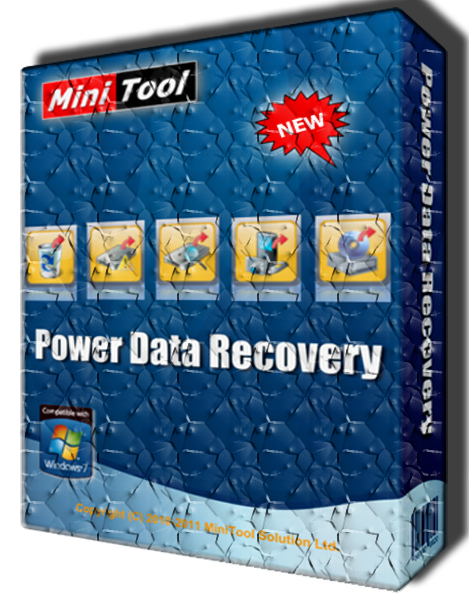
MiniTool Power Data Recovery
MiniTool Power Data Recovery 7.0 + All Edition
- Recover Data from formatted Partition.
- Support for windows server.
- Unlimited amount of data.
- Recover data from deleted.
- Support for any storage devices.
- Recover data from lost partition.
- Recover digital media data.
- Extremely easy to learn and use.
- Load previous recovery result.
Power Data Recovery by MiniTool comes with an advanced deep scan technology which will automatically scan and analyze raw data format including, digital pictures, multimedia “mp3, movies” Microsoft Office files etc, documents, archive (compressed) files you name it.
MiniTool offers 4 licenses (Standard, Deluxe, Enterprise, and Technician) to cater to the needs of different users!
Personal license
Business license
Enterprises license
What’s Included in Business Enterprise
- It allows you to Recover Files on Windows Server.
- A Single License can be used for registration on 99 PCs.
- It provides 1 Year Free Upgrade Service.
- You can also get the Snap-in WinPE Bootable Builder.
- It offers Technician Support via email & phone.
Technician license
- All-in-one Data Recovery Software for IT Service Providers
MiniTool Power Data Recovery Business Technician is mainly designed for service providers, business, organizations, companies, IT professionals, technicians and consultants.

GBWhatsapp
GBWhatsapp

What's New in 6.40 + GBWhatsApp & WhatsApp
* Updating the client version 2.18.122
* Administrators can now prevent members from sending messages in groups
* You can now record audio clips without having to press the long button on the voice recording
* Automatic reply to specific conversations can be customized or exclude certain conversations
* Add option 2.7.9 To select the shape of the Floating Button as the official Callout
* Add Option 2.1.11 to hide the Create new chat button from Conversations
* Add option # 6.20 to disable the appearance of an alert that there are retrieved messages (deleted)
* Add an option to disable AutoReader in case the two Read Disks are hidden
* 02/01/16 to show the video icon in the conversation
* you can now Arafa conversations that you have to activate the automatic download. (Open Alwatsab - Options - customized) conversations
* You can now search for themes through the theme name
* Fix the color of the names when adding a new member to any group
* Fix the color of the IM bubbles
* Repair hide the playback signal
* Fix the appearance of the attachment icon in the group conversation conversation
* Fix the top bar color of the hidden and archived conversations
* Update the Italian and Brazilian language

AOMEI Partition
AOMEI Partition Assistant Server Edition 5.5 full version

AOMEI Partition Assistant is a highly-efficient, easy-to-use and multifunction partition management software, with user friendly operations to assist you mange the partitions of your hard drives. Under the help of Partition Assistant, you can easily & fast create/delete and merge/split the partition and the most advantage is that it resize/move your partition to readjust the partition volume on the basis that it ensures the security of your data.
AOMEI Partition Assistant Professional Edition is reliable and professional disk partition software for computer. It provides you with the most popular disk partition technology which snap-in Basic Disk Partition Manager, Convert dynamic disk to basic and Dynmiac Disk Partition Manager. This professional tool could help you manage Primary partition, Logical Partition, Simple, Spanned, Striped(Raid0), Mirrored(Raid) and RAID-5 volume.
- Extend/Shrink partition
- Resize/Move partition
- Merge/Split partition
- Allocate Free Space
- Copy disk/partition
- Create/delete/format partition
- Set partition label
- Wipe partition/wipe hard drive
- Rebuild MBR
- Convert to GPT/MBR disk
- Disk surface test
- View properties of partition and disk
- Advanced Capabilities:
- Change and Remove drive letter
- Hide and Unhide drive
- Convert Logical to Primary or contrary
- Set drive as active
- Convert FAT/FAT32 to NTFS
- Check partition
- Wipe unallocated space
- Change partition type
- Change serial number
- Partition Alignment
- Disk & Partition Wizard:
- Extend Partition Wizard
- Disk Copy Wizard
- Partition Copy Wizard
- Migrate OS to SSD or HDD
- Partition Recovery Wizard
- Create Bootable CD Wizard
- OS : Windows 8.1, Windows 8, Windows 7, Vista, XP, 2000, both 32 bit and 64 bit or Windows Server 2003, 2008, 2012 (R2 included), Windows Home Server 2011, Windows SBS 2003, 2008, 2011
- Language : Multilingual